DISMTools 0.8.1 - Now available
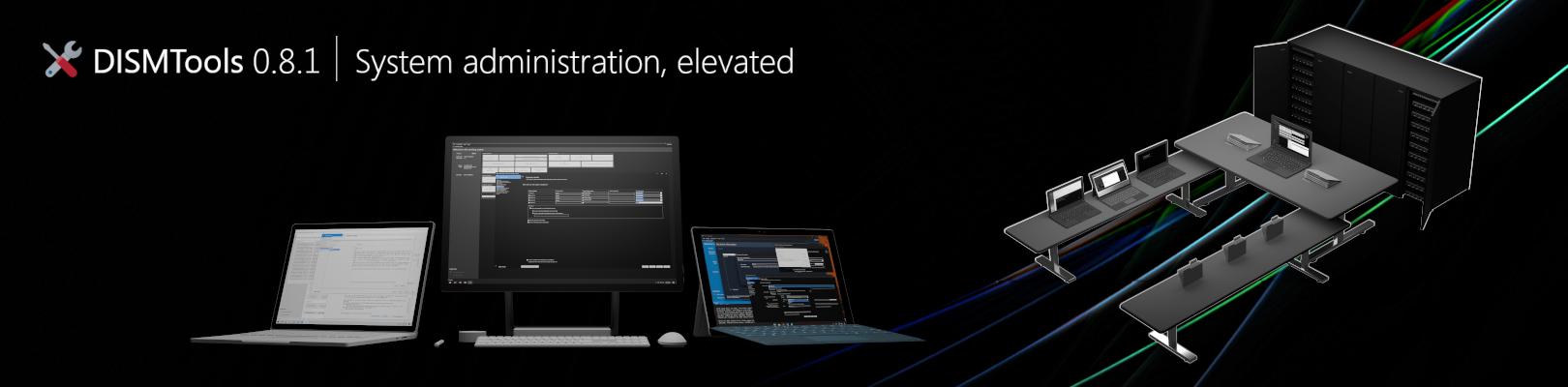
DISMTools 0.8.1 is now available as a stable release, and comes with new features and enhancements.
What's new?
- Unattended answer file conflict resolution has been ported to the WDS Helper Client
- You can now create multiple ISO files at the same time. The amount of concurrent ISO creation tasks can be configured up to 10
- Tooling for BitLocker encrypted volumes has been introduced
- The Sysprep Preparation Tool has been updated with BitLocker volume detection
- A new policy has been added to configure image file scanning options in the operating system installer
- When capturing a Windows image, a description can now be added
- The following starter scripts are affected by this version:
| Starter Script | Stage | State |
|---|---|---|
| Disable Windows Platform Binary Table | During System Configuration | New |
| Prevent companion device software installation | During System Configuration | New |
| Configure Windows Server processor scheduling | During System Configuration | New |
| Change Windows PowerShell Execution Policies | During System Configuration | Modified -- it now validates the selected execution policy |
| Control Remote Desktop parameters | During System Configuration | New |
| Empty Start Menu Pins | During System Configuration | New |
| Set a custom wallpaper | When the first user logs on | Modified -- Windows Spotlight is now disabled |
- The Starter Script Editor has seen many improvements:
- Bulk script conversion as a command-line argument, to convert starter scripts created for DISMTools 0.7.3 to the new format
- Upload capabilities to the Starter Script Library
- Rule-based Automated Inspection for script security
- Find and Replace capabilities
- Document Outline viewer
- Support for editing bigger scripts, up to 2 billion characters
- You can now unlock BitLocker encrypted volumes from the offline installation management mode
- You can now fillter AppX package information in an online system based on its registration status using the
regto:filter:- Type
regto:anyoneto show packages registered to, at least, 1 user - Type
regto:nooneto show packages that aren't registered - Type
regto:meto show packages registered to, at least, your user - Type
regto:<name>orregto:<SID>to show packages registered to, at least, the user with that name or SID
- Type
- When performing driver exports, multiple class names can now be selected
- Target exported drivers can now be organized in folders named after their class names
- Feature update detection support has been added for the Rubidium Windows as a Service semester
- A search engine lookup link is now displayed next to a device's hardware ID in driver information reports
- Driver filters now support multiple class names
- The installer now uses Inno Setup 7.1
- 7-Zip has been updated to version 26.02
- The following libraries and components have been updated:
| Component | Version in 0.8 | New version |
|---|---|---|
| Managed DISM API | 6.0.0 |
6.0.1 |
| Markdig | 1.3.1 |
1.3.2 |
What's fixed?
This will show the bugfixes in all the preview releases.
- Fixed an issue where the WDS Helper Client would re-add essential drivers if selected
- Fixed issues with feature enablement, capability addition and component store repair tasks if they pointed to sources in roots of volumes
- Fixed an issue where saving image information of an image selected in the mounted image manager would make the program save information about the online/offline installation if in either mode
- Fixed issues with some image tasks targeting rooted paths
- Fixed some HiDPI issues
- Fixed an issue that would cause HotInstall to throw an exception when performing disk space checks with certain directories
- When getting information about drivers, drivers that can't be processed will now be skipped
- Hardware targets for driver files no longer show up more than once per INF section
- Fixed an issue where notifications would not be displayed
- Fixed some exceptions
What changed since last preview release?
- Fixed startup issues in Safe Mode
- UnattendGen has been updated to the latest version
- File pickers in driver and package information dialogs now support multiple selections
- Service information reports now contain sections for each service, to jump between them easily
- Feature update detection support has been added for 26H2 images
- The following starter scripts are affected by this version:
| Starter Script | Stage | State |
|---|---|---|
| Configure Lock Screen Background | During System Configuration | New |
| Prevent automatic BitLocker drive encryption | During System Configuration | New |
| Disable Fast Startup | During System Configuration | New |
How do I get started?
As always, you can begin contributing to the project by downloading this version today and reporting feedback to us.
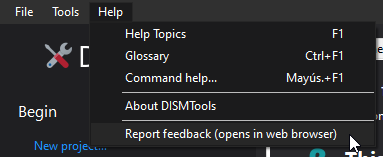
Feedback is very crucial for the success of this project.
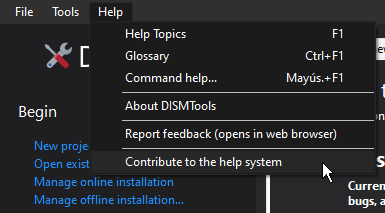
If you want to help us with something else (like documentation or artwork), we also welcome your suggestions. The help documentation content pages are available on GitHub and we encourage you to contribute to them so that we can make DISMTools easier to use.
Looking into the future
We're already working on the next version of DISMTools, 0.8.2. If you want to take a closer look at this release, be sure to check out the latest preview releases, starting around September 6.
Again, this version is expected to be released in about 2 months.