Setting up a custom logon wallpaper on NT 5.x and earlier
Giving your logon screen your personal touch.
You may know that, since Windows 8, you can change the lock screen wallpaper to give it your touch. On Windows Vista and 7 you could provide your own wallpaper like an OEM. But what about NT 5.x and prior versions? This includes:
- Windows Server 2003
- Windows XP*
- Windows 2000
- Windows NT 4.0
- Windows NT 3.x
*on Windows XP you need to disable the Welcome Screen and, effectively, Fast User Switching.
Let's do it!
Preparing and setting up the wallpaper
Put the wallpaper in a simple path that can be accessed by anyone in the system, like the root of the system volume. For these old versions of Windows, the logon screen must be a BMP file (even though Windows XP and Server 2003 support JPG files, they convert the wallpaper to a BMP; native JPG support didn't come until Vista). Then, do the following:
- Open the Registry Editor (
regedit.exe, orregedt32.exeon NT 3.x) - Go to HKEY_USERS\.DEFAULT\Control Panel\Desktop and change the Wallpaper value to the location of your BMP file. For example:
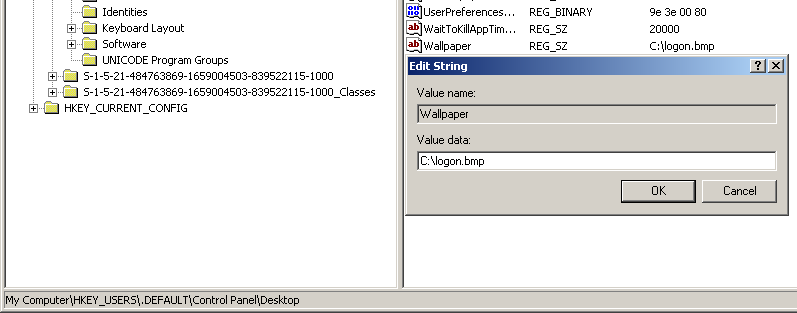
Now, log off. You will see the custom logon wallpaper immediately. Here are some examples:
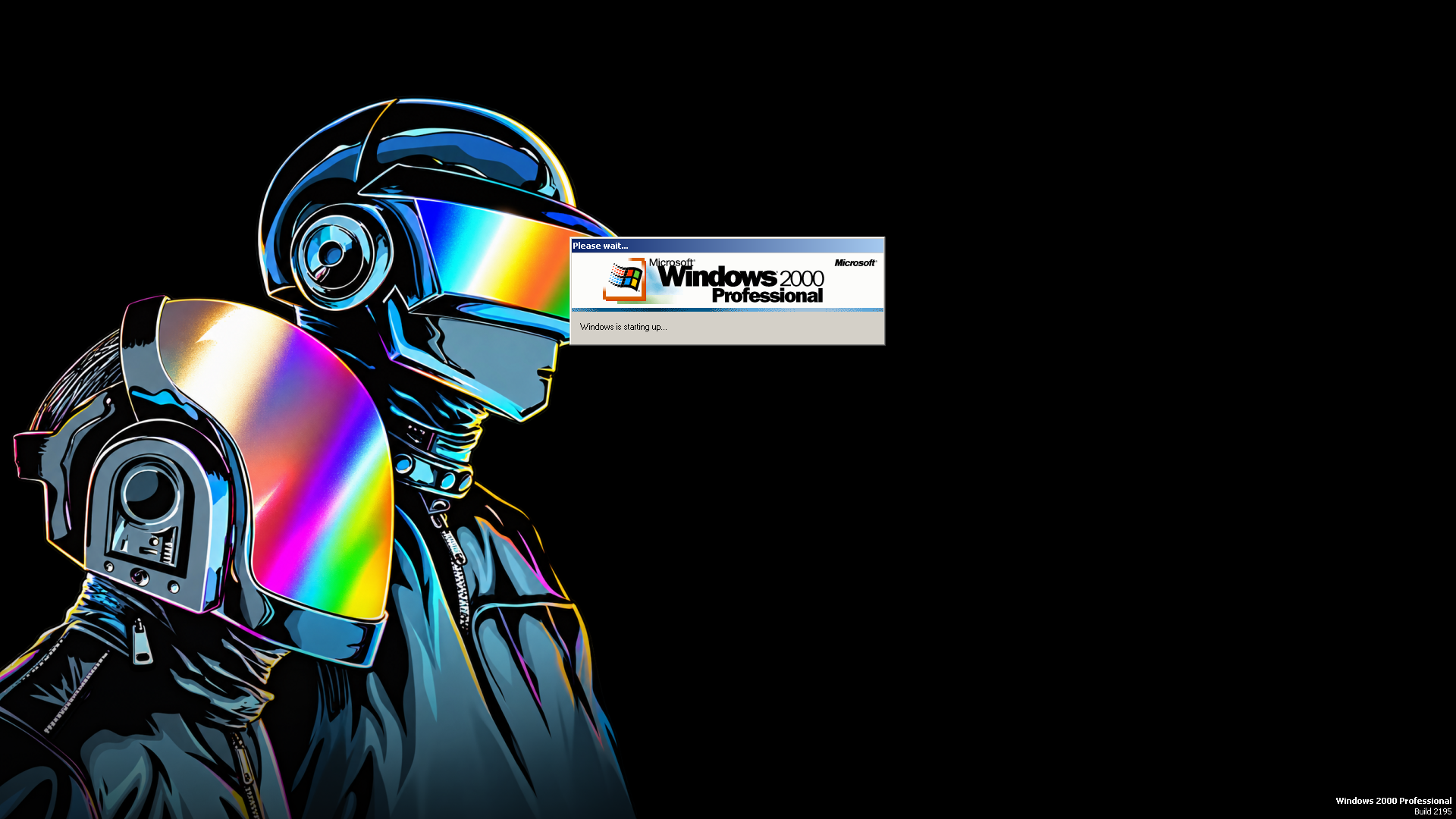
- Windows 2000 with a logon wallpaper depicting an iconic French duo:
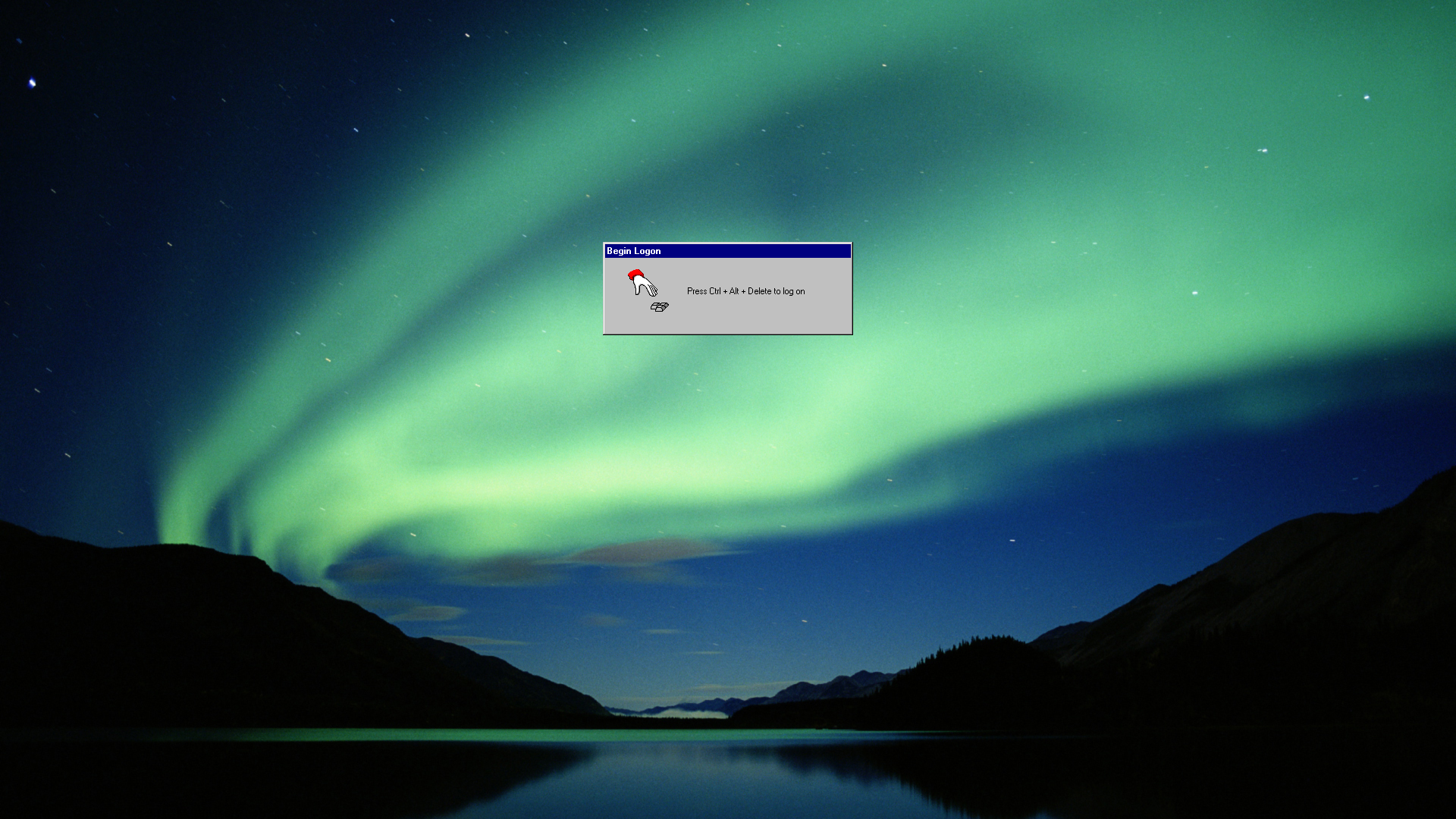
- Windows NT 4.0 with a Windows Vista wallpaper:
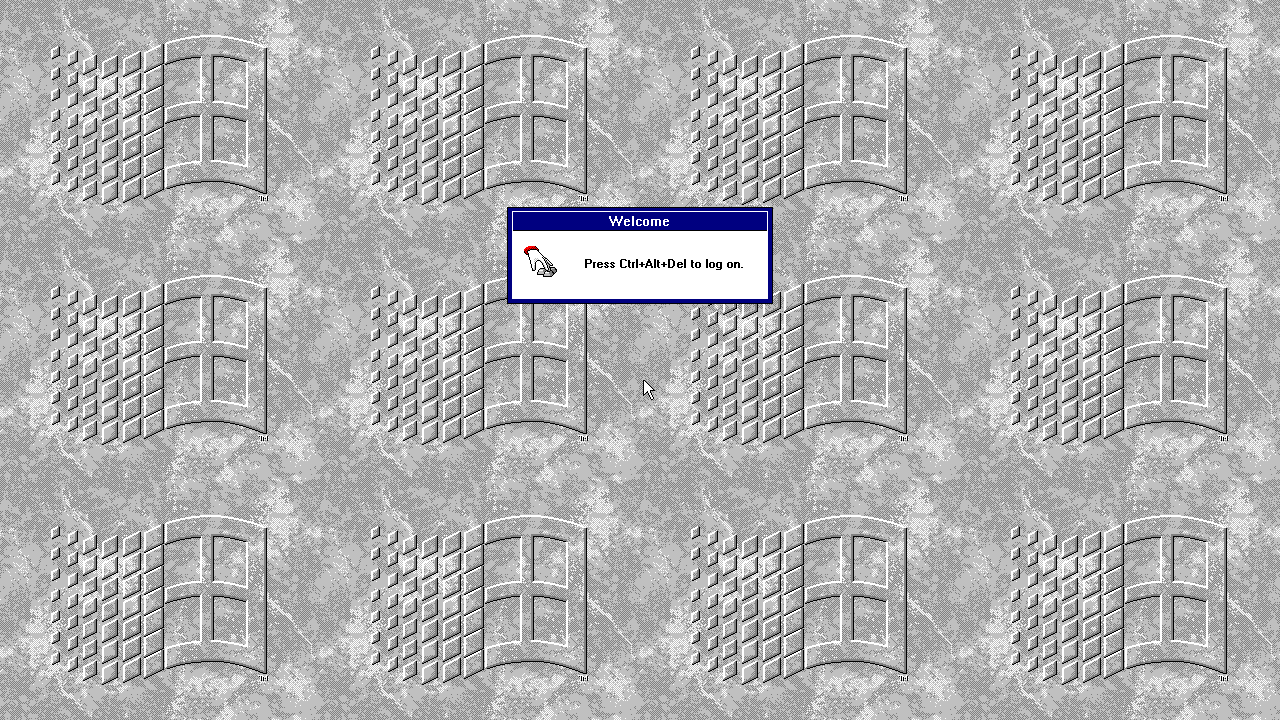
- Windows NT 3.51 with
WINLOGO.BMP, tiled by settingTileWallpaperto 1:
Time to customize your logon screen! Your friends will be impressed with what you come up with.