What's Next for "Discovery": Driver Packs
Adding drivers in bulk for a computer just got a lot easier.
When working on Windows images, one of the tasks you are most likely going to perform is add drivers to make it work on a device or several units of a single device. Tracking down and keeping drivers organized is an ordeal, but what if it can be easier and well integrated?
Meet Driver Packs. Driver Packs allow you to pack multiple driver files into a single file. The thing that sets DISMTools Driver Packs apart is that drivers can be associated to one or more computers. So, by selecting a computer from a Driver Pack, you can add a set of drivers in bulk as if you were working at the computer manufacturer company.
For example, imagine you have the following computers:
- Dell XPS 15 9510
- Lenovo ThinkPad P16s Gen 3 (21KS)
- Dell Precision 5680
- Custom PC with ASUS H610M-D D4 motherboard
And the following drivers:
- Intel Arc Pro Graphics
- Intel SST OED
- Intel Serial I/O
- NVIDIA GeForce RTX 3050 Laptop GPU
- NVIDIA GeForce RTX 4090
- Intel AX211
- Intel H610 Chipset
What if you can map them like this?
- Dell XPS 15 9510
- Intel SST OED
- Intel AX211
- NVIDIA GeForce RTX 3050 Laptop GPU
- Lenovo 21KS
- Intel SST OED
- Intel Arc Pro Graphics
- Intel AX211
- Dell Precision 5680
- Intel SST OED
- Intel AX211
- NVIDIA GeForce RTX 4090
- H610M-D D4
- Intel Serial I/O
- Intel H610 Chipset
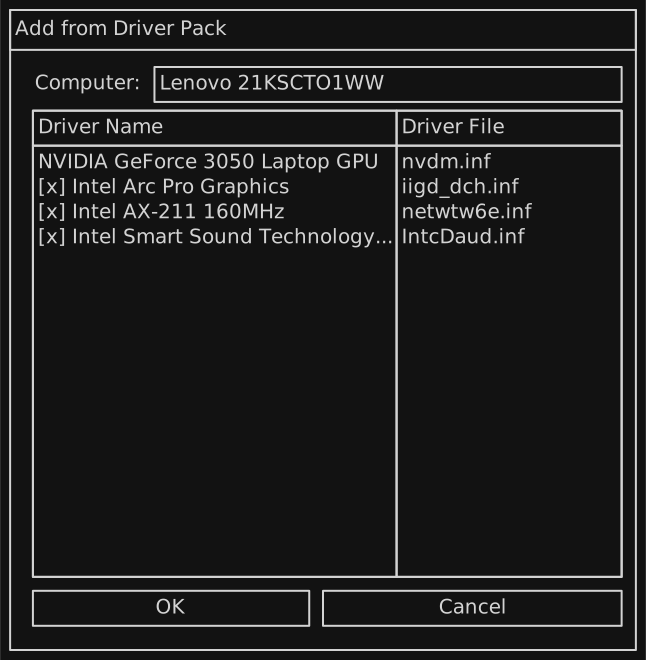
By selecting the Lenovo 21KS computer preset, you will be able to add all the drivers that provide full functionality for a ThinkPad P16s Gen 3. This works in both operating system and image modes, and allows for quick imports and reusability.
Creating Driver Packs
In the works is a Driver Pack Creator that allows you to easily plan everything a driver pack will have.
Managing Computers
Computers can be given one or more drivers. From the computer addition wizard, adding a computer is easy and it takes no time to associate drivers to it.
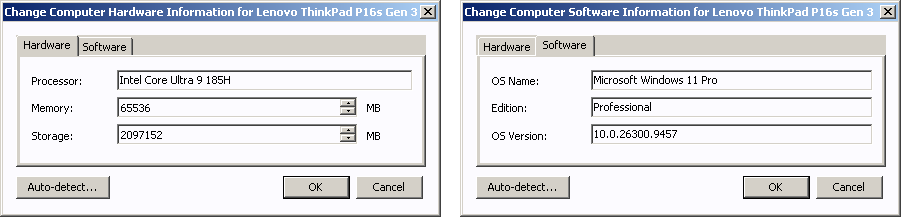
Computer information can be changed at any time. Its purpose is to more easily identify a computer from other computers in your Driver Pack. For example, we want to modify the OS the ThinkPad P16s Gen 3 is using. We can change it by going to the Software tab of this dialog:
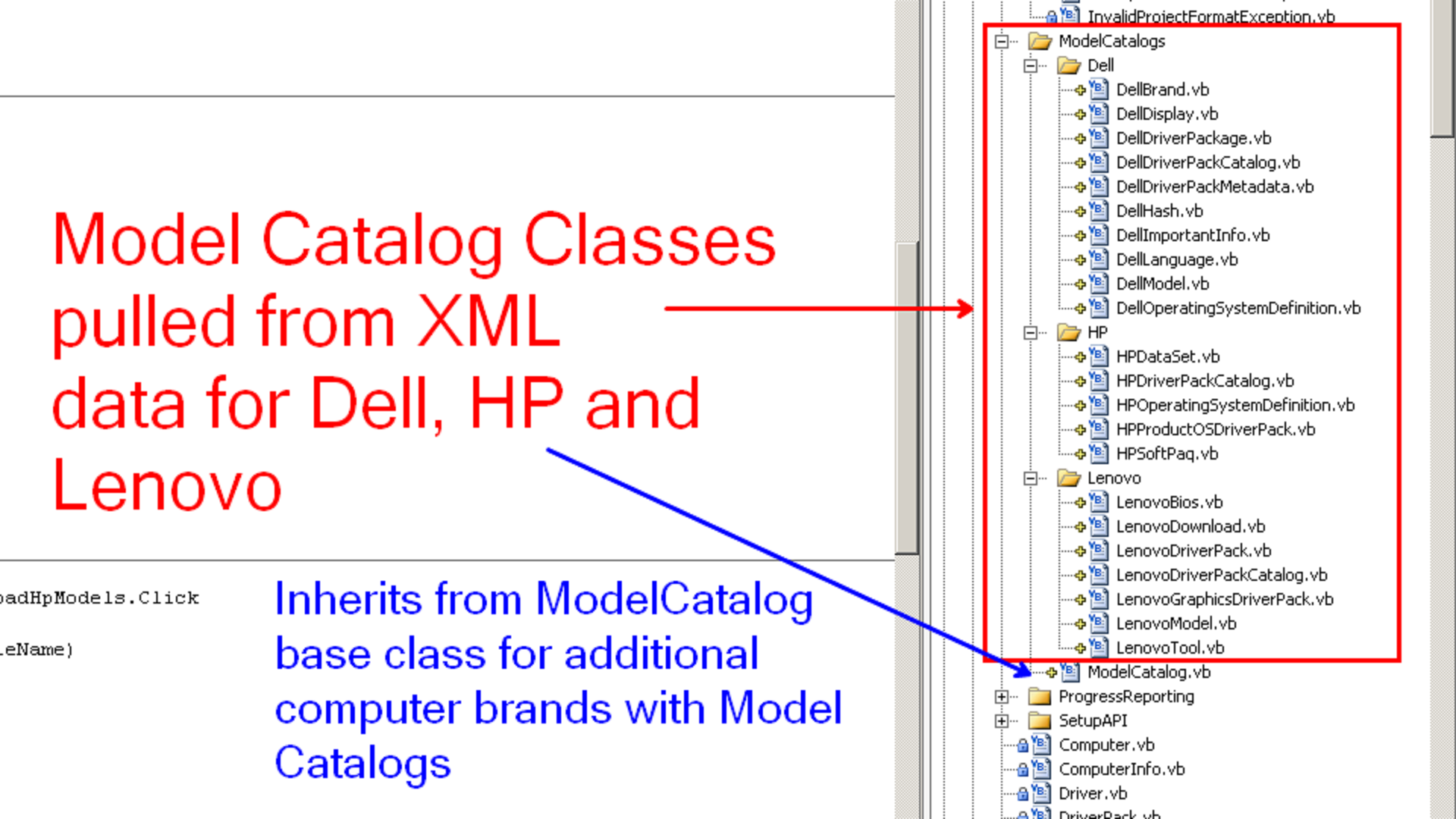
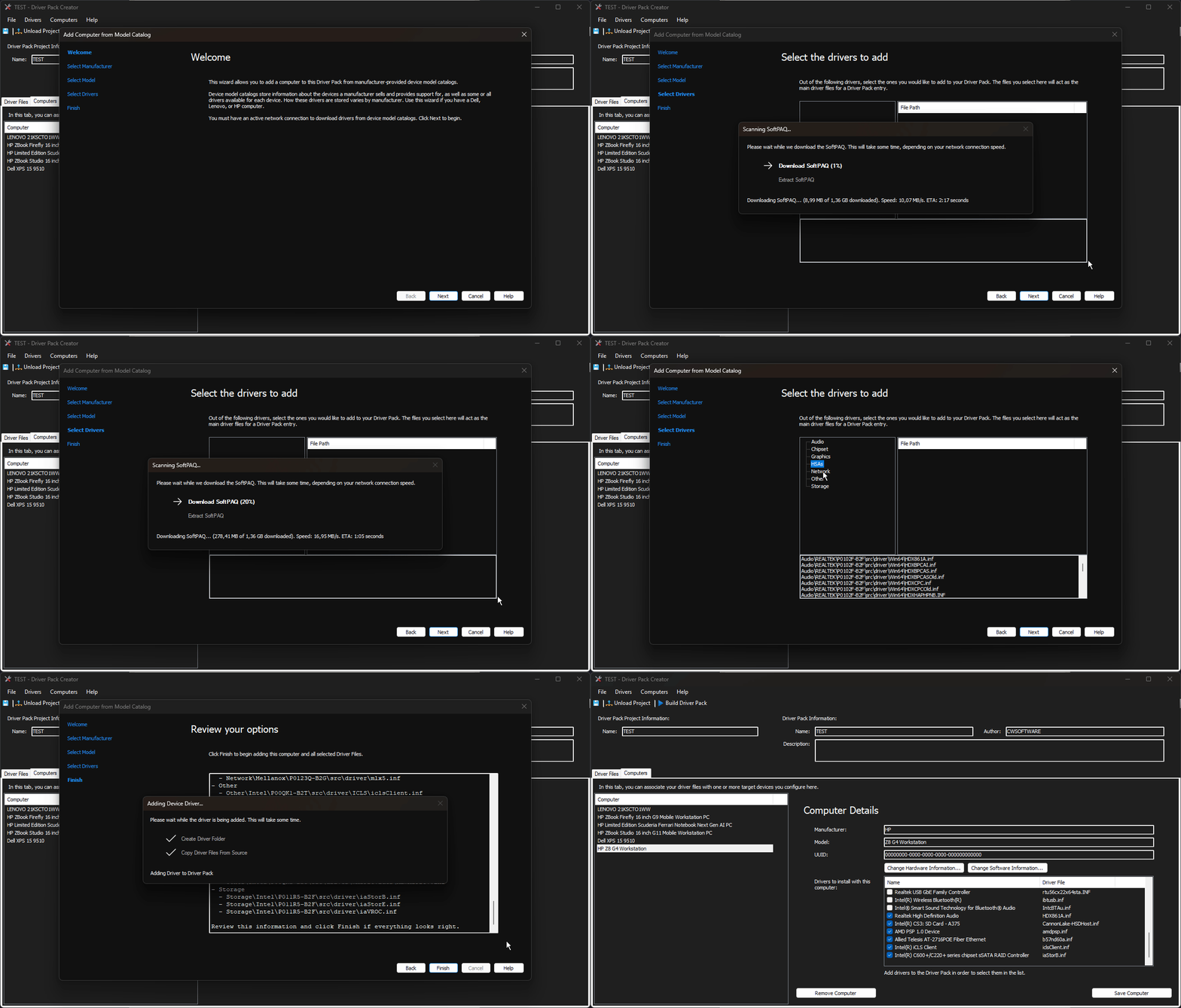
The Driver Pack Creator will see support for downloading driver files from Manufacturer Device Model Catalogs and adding them to your Driver Pack alongside the computer. Right now, the supported brands are HP, Dell, and Lenovo.
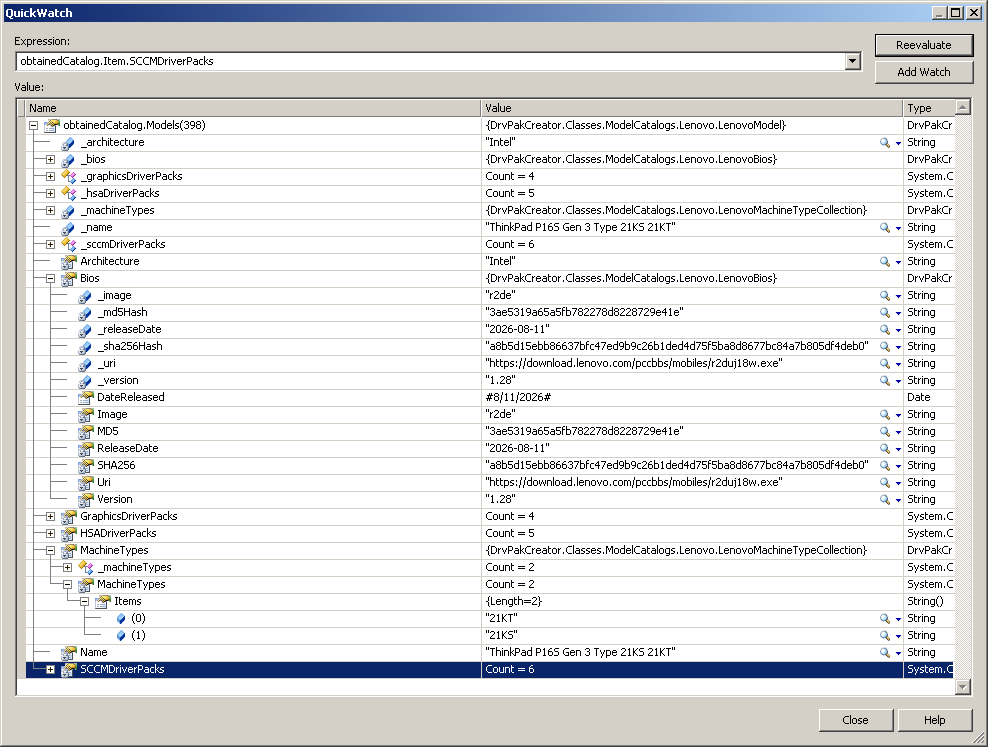
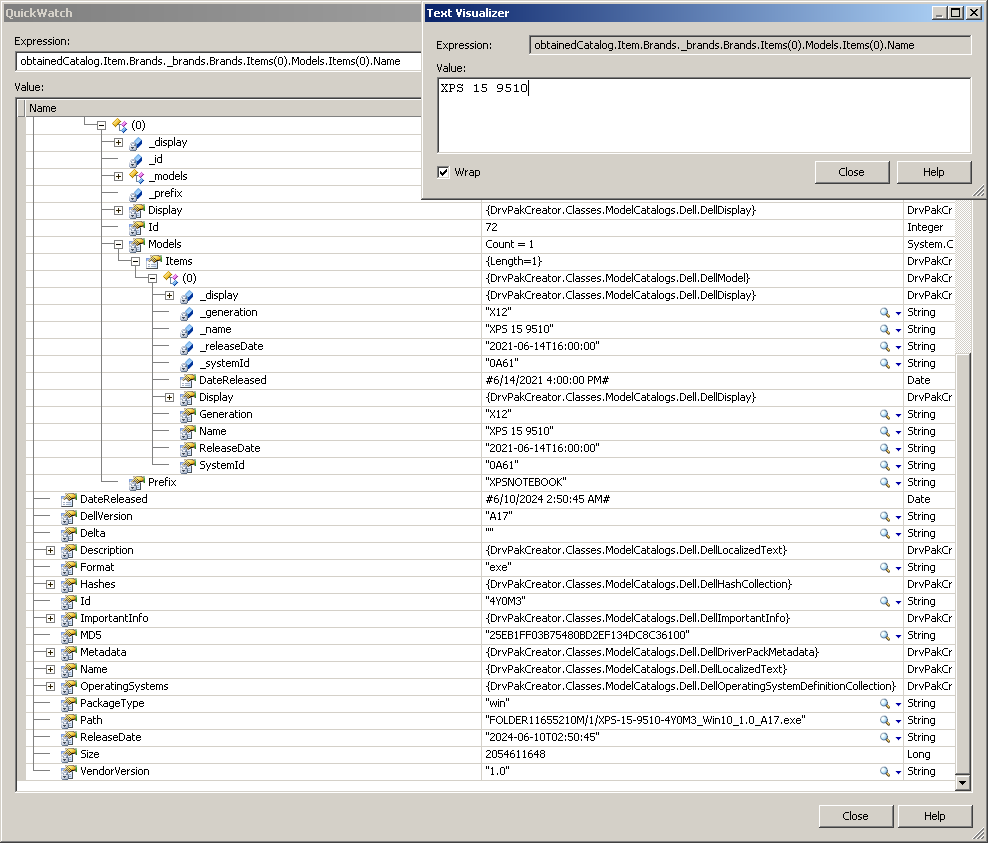
Here is how Model Catalog data parsing is laid out; this is more interesting information for developers who would like to extend model catalog parsing capabilities using additional computer manufacturers:
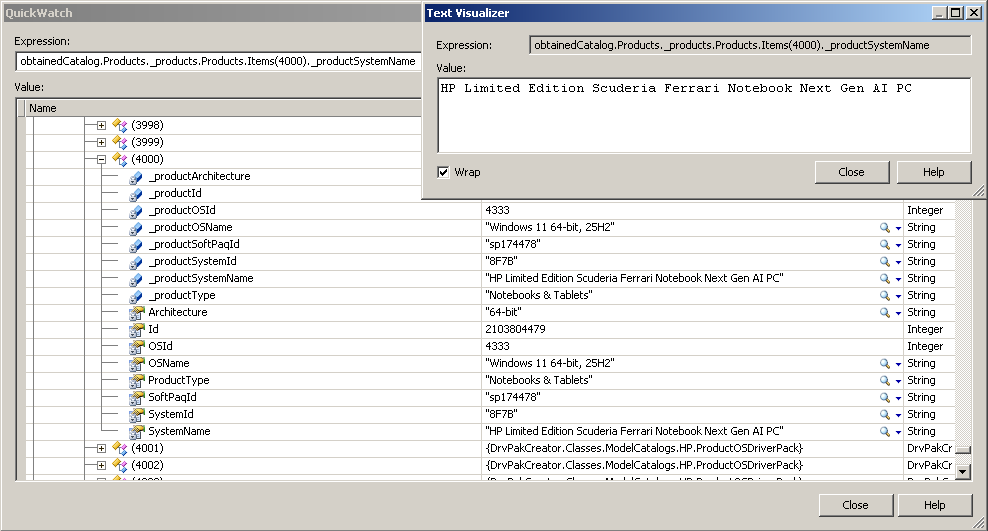
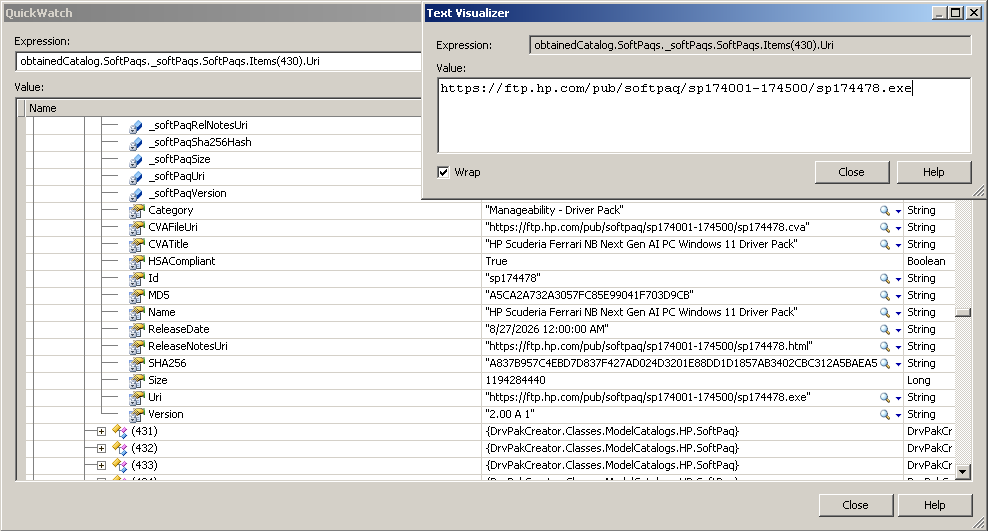
Here are some parts of the structure of a parsed model catalog, showing the SoftPAQ for a HP Limited Edition Scuderia Ferrari Notebook Next Gen AI PC (what a mouthful):
Here is one for a ThinkPad P16s Gen 3 (Types 21KS and 21KT):
And here is one for a Dell machine:
Right now, the HP bits have been fully assembled. Here is the computer addition process from model catalogs:
Lenovo and Dell model catalog integration is now in the works, but they are different cans of worms given their different structures. I'll see how I can integrate them as well as the HP integration.
Packing Driver Contents
After adding the drivers and computers, a Driver Pack Project must be built to create a Driver Pack. The format consists of a zipped structure (yes, it behaves like a ZIP file). By default, files inside the Driver Pack are stored with Deflate compression, though the feasibility of LZMA compression is being discussed.
The time it takes to build a driver pack varies on the amount of files and the speed of the computer's processor and disks during compression and decompression sessions.
Additionally, the Driver Pack Creator supports creating Driver Pack Projects from already built Driver Packs.
Working with Driver Packs
For Discovery, driver addition will let you use Driver Packs. No UI work has gone into the importer yet, but here is a mockup:
I'm sold! When do I begin?
Driver Packs are still being developed and they should be integrated by the first preview of DISMTools 0.9 "Discovery". You will see proper documentation once the format as a whole gets integrated into a DT release.
Stay tuned for more Sneak Peeks!